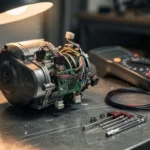
Bosch eBike firmware update error indicates a disruption in the data synchronization between the eBike Flow app and the Drive Unit. Reconnect the app and retry
Bosch eBike firmware update error indicates a disruption in the data synchronization between the eBike Flow app and the Drive Unit. Reconnect the app and retry the process immediately.
⚠️ SAFETY WARNINGS
Remove battery before any work
Wait 5+ minutes for capacitor discharge
NEVER bridge positive and negative terminals
Use insulated tools only
Do not test ride if you smell burning or feel excessive heat
When the Bosch Smart System attempts an Over-the-Air (OTA) update, it relies on a stable Bluetooth Low Energy (BLE) link and a continuous power supply. A “Software update failed” message typically means the communication protocol was interrupted before the checksum verification was completed. This is not a mechanical motor failure; it is a digital synchronization fault.
Symptom
Root Cause
Severity
Estimated Repair Time
Update stops at 3rd step
Bluetooth signal loss/interference
Medium
10-15 minutes
“Software update failed” message
Incomplete data packet transfer
Medium
5 minutes
Display stays dark/frozen
Critical firmware corruption
High
Professional service required
App cannot find eBike
Bluetooth module/Display error
Medium
5-10 minutes
What causes Bosch firmware update errors?
The Bosch Smart System uses a sophisticated display-controller communication protocol. Several environmental and technical factors can trigger a failure during the sensitive writing phase of the firmware.
Most failures stem from communication loss between the smartphone and the Drive Unit. If the user moves too far from the bike or if the smartphone switches to a different Wi-Fi network, the EB-BUS equivalent data stream is broken. Additionally, moisture ingress or humidity in coastal areas can cause signal attenuation in the internal Bluetooth antenna. Vibration damage to the internal mounting of the display can also lead to intermittent connectivity. While most errors are software-based, severe cases involving moisture or pressure washing damage can lead to pin corrosion on the JST-SM or proprietary Bosch connectors, preventing the system from receiving the 5V logic reference required for the update process.
Quick Fix: Software update error in 3 steps
If you are in the middle of an update and it fails, do not panic. Most errors are recoverable by resetting the connection state.
Reset the App: Close the eBike Flow app completely on your smartphone.
Power Cycle: Turn off your eBike and wait 60 seconds for the system to fully shut down.
Reconnect: Open the app, ensure Bluetooth is active, and re-initiate the update.
How to fix Bosch firmware update errors step by step
If the quick fix fails, you must follow a more rigorous diagnostic workflow to ensure the hardware environment is stable for a second attempt.
Step 1: Verify Battery Stability
Check that your battery is charged above 50%. A voltage drop during a firmware write can corrupt the internal flash memory of the controller. Refer to your model’s official service manual for exact specifications regarding minimum charge levels during updates.
Step 2: Stabilize the Communication Environment
Move the smartphone within 0.5 meters of the display. Disable “Auto-Join Wi-Fi” on your phone to prevent the device from switching from Bluetooth to a home Wi-Fi network mid-update, which is a common cause of failure in US urban environments.
Step 3: Inspect Physical Connections
Check the connection between the display and the motor. While the update is digital, physical vibration can loosen the connector. Ensure the display is seated firmly in its mount. If you suspect moisture ingress, use a specialized contact cleaner to ensure the pins are dry and conductive.
Step 4: Perform a Hard System Reset
If the display is unresponsive, remove the battery for at least 5 minutes. This allows the internal capacitors to discharge fully, clearing the temporary cache that might be holding a corrupted update fragment.
Step 5: Professional Intervention
If the error persists after the 3rd attempt, the firmware may be “bricked.” At this stage, the controller’s MOSFET or internal logic may require a professional flash via the Bosch diagnostic tool.
Required Tools: Multimeter (for battery voltage check), specialized contact cleaner, and a stable Bluetooth connection.
Common Errors & Mistakes
Moving too far from the bike: Always stay within arm’s reach during the update.
Low battery voltage: Never attempt an update if the battery is below 50%.
Phone switching to Wi-Fi: This breaks the Bluetooth link; keep Wi-Fi off.
Interrupted power: Do not remove the battery while the update progress bar is moving.
App version mismatch: Ensure the eBike Flow app is updated in the App Store/Google Play.
Frequently Asked Questions
Is a failed update dangerous for my bike?
Summary: Usually no, but it can leave the bike inoperable.
If the update is interrupted, the bike may not start at all until the firmware is successfully re-flashed. It is not a safety risk to the rider unless the motor behaves erratically after a partial update.
When should I replace my display instead of updating?
Summary: If the error is accompanied by physical damage.
If you see signs of moisture ingress, pin corrosion, or if the display fails to power on entirely, the hardware is likely compromised and requires replacement rather than a software fix.
Can I use a computer instead of a phone?
Summary: No, the Smart System is designed for mobile-to-bike communication.
The Bosch Smart System relies on the eBike Flow app via Bluetooth. Standard PC/Mac software is not an alternative for consumer-level updates.
How do I prevent this in the future?
Summary: Maintain high battery levels and stable connections.
Always perform updates when the bike is stationary, fully charged, and when you have a stable, uninterrupted Bluetooth environment.
How do I prevent moisture-related errors?
Summary: Use proper sealing and avoid pressure washing.
Avoid high-pressure washing near the display and motor connections. In humid or coastal climates, ensure all connector seals are intact to prevent pin corrosion.
Ensure your smartphone’s Bluetooth settings are set to “Always Allow” for the eBike Flow app before starting your next update.
This guide is based on real-world experience with Bosch eBike systems. If the error persists or you notice a burning smell or abnormal heat, consult an authorized service center.
Frequently Asked Questions
Is a Bosch firmware update error dangerous for my motor?
Summary: A firmware error is generally not a physical danger to the motor, but it can cause sudden power loss or system lockout during operation.
A firmware error is generally not a physical danger to the motor, but it can cause sudden power loss or system lockout during operation.
While the mechanical integrity of the Bosch Drive Unit remains intact, a failed update can corrupt the communication protocols between the display and the motor. If you experience a total loss of assist mid-ride, stop immediately to avoid being stranded.
When should I replace my Bosch display versus repairing it?
Summary: Replace the unit if the software update failed during the installation phase or if the screen remains black after a failed flash.
Replace the unit if the software update failed during the installation phase or if the screen remains black after a failed flash.
Repairing a corrupted Bosch smart system via software is often impossible for riders. If the error persists after reconnecting via the eBike Flow app, the internal memory may be bricked, requiring a replacement of the specific Bosch component.
Can I fix a Bosch software update error at home?
Summary: You can attempt to reconnect the eBike Flow app to your bike to restart the process, but deep system errors require a retailer.
You can attempt to reconnect the eBike Flow app to your bike to restart the process, but deep system errors require a retailer.
If the update fails during the 3rd step of installation, do not attempt to force it. You must visit a certified Bosch service center to prevent further damage to the communication bus or the internal controller firmware.
How do I prevent Bosch firmware update errors from happening?
Summary: Ensure your smartphone battery is high and the eBike is fully charged before initiating any over-the-air software updates.
Ensure your smartphone battery is high and the eBike is fully charged before initiating any over-the-air software updates.
Interruption of the Bluetooth signal or low voltage during the flashing process is the primary cause of corruption. Always keep the eBike Flow app updated in the Apple App Store or Google Play Store to ensure compatibility with the latest Bosch protocols.
Why does a firmware error appear after a Bluetooth disconnection?
Summary: A disconnection during the data transfer phase interrupts the handshake between the app and the Bosch Drive Unit, triggering an error.
A disconnection during the data transfer phase interrupts the handshake between the app and the Bosch Drive Unit, triggering an error.
This occurs when the signal strength drops significantly, often due to distance or signal interference in dense urban areas. If the LEDs stop flashing, the system is in a transition state; wait for the cycle to finish before attempting a reboot.
I am a specialist in technical diagnostics and advanced electric bicycle repair. I founded Fix E-Bike Code with a clear mission: to demystify the electronic faults and complex error codes that impact modern electric mobility. My approach combines engineering theory with hands-on workshop experience, allowing me to deliver precise and safe solutions for every system.
Throughout my career, I have specialized in Battery Management Systems (BMS), firmware optimization, and controller diagnostics for the market’s leading manufacturers. I understand that an e-bike is not just a mode of transport, but a piece of technology that requires precision. Therefore, I document each of my procedures with the goal of raising technical standards within the community of enthusiasts and mechanics.